
What apps are supported for undetectability?
This guide will walk you through supported apps. Please also note the system requirements (no Windows 10 or older pre-2023 Windows 11 devices), before downloading.
To enable undetectability, open Hovrlay's Settings, under the General tab, turn on the undetectability toggle.
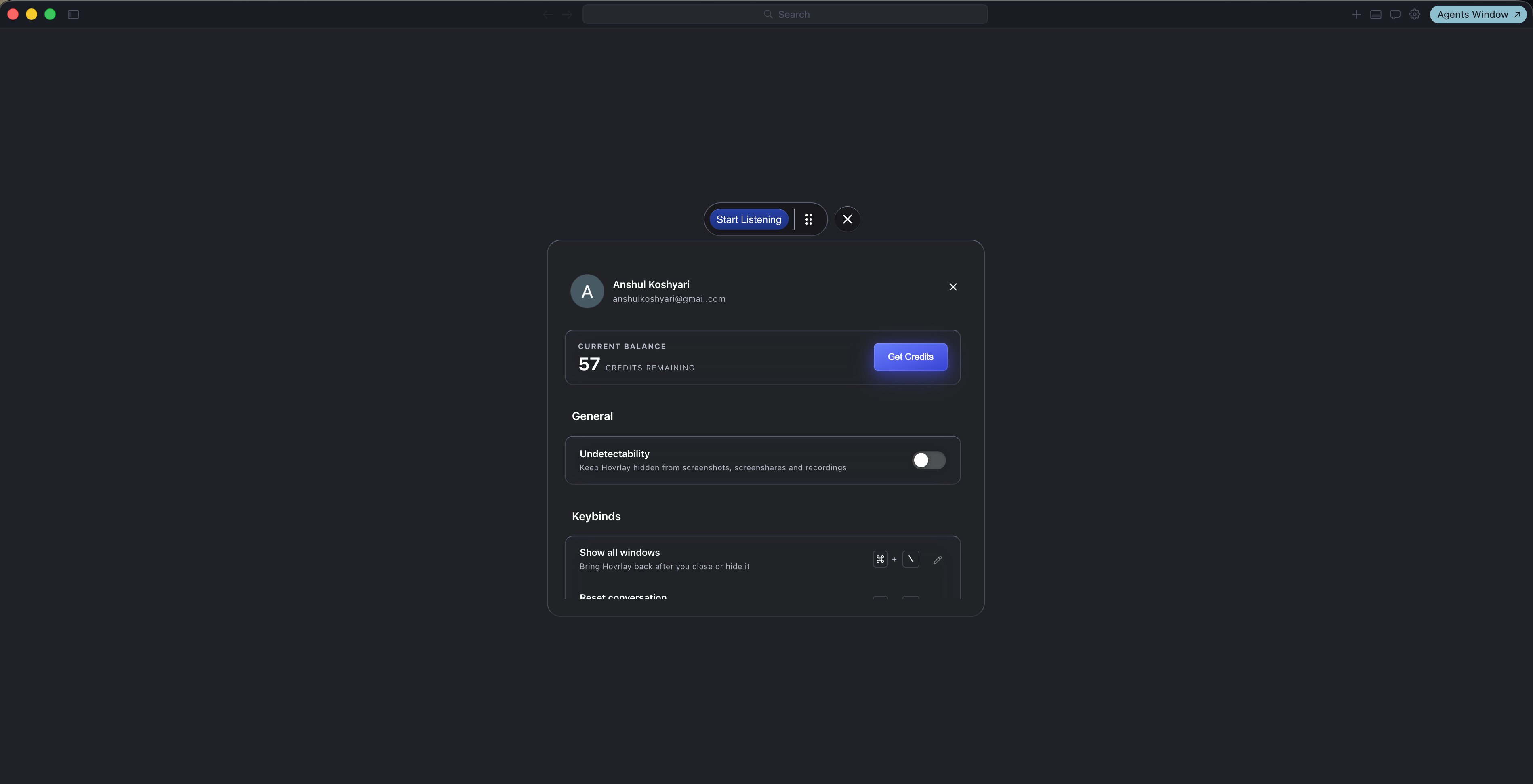
Once undetectable mode is on, Hovrlay's Assist keybinds are also undetectable to browsers. The default assist key binds are CMD Enter on Mac and CTRL Enter on Windows.
Click events, regardless of undetectable mode, will be detected by active browser checkers. Do not click into Hovrlay. Only use the undetectable key binds. You can review and modify the keybinds in Settings for triggering Assist, response scrolling and more.
How to Test Undetectability
If you need to test undetectability for your device, simply turn undetectability mode on and take a screenshot of your entire screen.
If Hovrlay is visible in your screenshot, your system is not compatible (Windows 10, Macs from before 2022). If Hovrlay is invisible in your screenshot, it will be undetectable in ALL supported meeting softwares.
Undetectability for Conferencing Software
Our latest version includes: invisible to screenshares, supports real-time audio transcription, invisible to dock, customizable keyboard shortcuts and 13+ other advanced stealth features. Each feature is specifically designed to counter detection methods used by interview platforms.
Zoom: Not Undetectable by Default
You'll need to either use Zoom version 6.16 or older, or turn on Advanced capture with window filtering in your Zoom settings. This is important to make sure everything works smoothly. We've thoroughly tested this and can confirm it works perfectly as long as you pass basic compatibility checks on your device first.
CodeSignal
Undetectable unless system requirements are not met. We've thoroughly tested this and can confirm it works.
Amazon Chime
Undetectable unless system requirements are not met. We've thoroughly tested this and can confirm it works.
CoderPad
Undetectable unless system requirements are not met. We've thoroughly tested this and can confirm it works.
Codility
Undetectable unless system requirements are not met. We've thoroughly tested this and can confirm it works.
Lark/Feishu
Undetectable unless system requirements are not met. We've thoroughly tested this and can confirm it works.
HackerRank
Undetectable unless system requirements are not met. We've thoroughly tested this and can confirm it works.
Google Meet
Undetectable unless system requirements are not met. We've thoroughly tested this and can confirm it works.
Microsoft Teams
Hovrlay is not undetectable to Microsoft Teams' entire screen share. Hovrlay is known to be detectable on Windows 10 and Windows 11 Home when sharing entire screen.
Cisco WebEx
Undetectable unless system requirements are not met. We've thoroughly tested this and can confirm it works.
Slack Huddle
Undetectable unless system requirements are not met. We've thoroughly tested this and can confirm it works.
Ring Central
Undetectable unless system requirements are not met. We've thoroughly tested this and can confirm it works.
Apollo Dialer
Undetectable unless system requirements are not met. We've thoroughly tested this and can confirm it works.
FaceTime
Undetectable unless system requirements are not met. We've thoroughly tested this and can confirm it works.
Hovrlay is NOT Undetectable For...
Hovrlay will be detected and is NOT undetectable for Proctor360, Proctorio, Honorlock, Meazure Learning, Examity, Respondus LockDown Browser, ProctorExam, Mercer Mettl, and PSI Bridge.